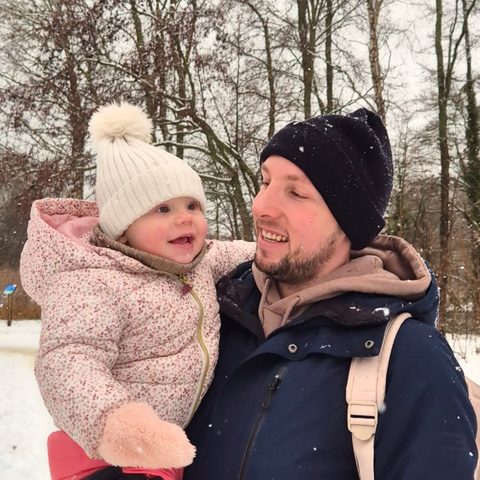
Why I Don't Post My Kids on Facebook (And What I Do Instead)
A lot of parents reach a point where they decide to stop posting their kids on Facebook — the facial recognition, the friends-of-friends reach, the fact that a post is basically permanent. I got to the same place from a slightly different direction: I never started.
Many parents stop because of documented issues — social platforms run facial recognition on children's photos, "shared with friends" often means visible to friends-of-friends, and public posts persist far longer than the moment (AARP, 2024). I made the call earlier, when my daughter was born, and our family shares photos privately in Keepr Circle instead — encrypted in transit and securely stored, visible only to invited family, and never scanned for ads or AI.
The decision I made when my daughter was born
As soon as my daughter arrived, I got very conscious about where our family photos live. I didn't want to post anything on social media, which honestly left me with very few places to put our memories. To this day we don't have a single family photo posted publicly.
It wasn't a dramatic stance. I'm just a fairly private person, and I didn't like the idea of AI being trained on my daughter's face. When I asked myself "where should our memories actually live," a social network was never the answer that felt right.
Why Facebook specifically didn't sit right
A few concrete things, not vibes:
- The audience is bigger than it looks. "Shared with friends" frequently means friends-of-friends can see it too, and the platform runs its own facial recognition on children in photos (AARP, 2024).
- It's effectively permanent. Sharing a child's images online creates records that persist and can affect their privacy in ways they never consented to (Leah Plunkett, Sharenthood, via NPR, 2024). Facial recognition can now match a child's face from public photos against commercial databases (DisappearMe, 2026).
- The photos aren't really yours anymore. Once they're on a platform whose business is data, they mentally stop belonging to you. I'd rather my family's memories be for the people we choose to share them with — not sitting on a system that profits from them.
I'm not here to tell anyone they're a bad parent for posting. This is just where I landed for my own family.
It's not only about what I post — it's what relatives post
Here's the part people miss. Even if you never post your kid, a proud grandparent or aunt might — not always on Facebook, but in a Messenger or WhatsApp group, forwarded on from there. You can't fully control that with rules.
What actually worked for us was making the private option the easy one. When there's a single, pleasant place for the family to share, the group-chat forwarding just... stops being necessary.
What we do instead
We use a private family Circle. Everyone who's invited can add their own photos to one shared timeline, so it's "upload once, share with many" instead of re-sending the same photo to three different chats. Grandparents who don't want to install anything open it from a link, or get a weekly email digest.
Two things genuinely changed how our family works:
- A daily "Moments" view. My mum loves watching her granddaughter do something silly each day, without any of us having to remember to send it.
- I finally trust it enough to clear my phone. As soon as our memories are uploaded, I delete them off my phone without worrying — because that's what the app is actually for. (I learned that lesson the hard way once, losing years of photos when a cloud quietly stopped syncing.)
"But don't you want to share your kids with family?"
I do — that's the whole point. My family sees more photos now, not fewer, because nothing is buried by an algorithm and everyone's contributing to the same place. It even brought our families a bit closer, sharing the small everyday moments together in one spot instead of scattered across feeds.
If you're thinking about pulling your kids off Facebook
You don't have to do it all in one weekend:
- Download your photos first. Save everything before you delete any posts.
- Pick a private home for them. A dedicated family app, a shared link, or email — whatever your relatives will actually use.
- Tell your family why. Most people get it once you explain, and they'll respect a simple boundary.
- Make the private option the easy one. The less friction, the more everyone uses it instead of the group chat.
One small, non-preachy suggestion: whatever platform holds your family photos today, read its privacy policy yourself. It's the fastest way to decide how you feel about it.
Frequently asked questions
Is it bad to post pictures of your kids on Facebook? It's a personal call, not a moral one. The documented concerns are real — facial recognition, friends-of-friends reach, and permanence (AARP, 2024) — but plenty of families weigh those differently. The point is to decide on purpose rather than by default.
How do I share photos with family if not on Facebook? A private family app, a shared link, or email all work. Keepr Circle keeps photos encrypted in transit and securely stored, invite-only, and lets grandparents view from a link. See Private Photo Sharing Without Social Media.
Won't grandparents struggle without Facebook? Usually not — 91% of adults over 50 own a smartphone (AARP, 2024), and the real friction is account setup, not the device. A view-by-link option removes that entirely.
What about photos already on Facebook? Download a backup, then delete the public posts you're not comfortable with. Going forward, share privately.
Is Keepr Circle end-to-end encrypted? No, and I won't claim it is. Photos are encrypted in transit and securely stored and are never sold, handed to advertisers, or used to train AI — but it isn't end-to-end encrypted. For true E2E, iCloud with Advanced Data Protection is a good option.
Share your family's moments privately
If keeping your kids off public feeds sounds right but you still want family close, that's exactly the gap a private Circle fills.
Try Keepr Circle free — 5 GB, and grandparents view without an account.
More on the approach in How to Share Photos With Grandparents.